
Now you run the sweeps. Dirac plays a test sweep through every speaker in turn at each microphone position. It takes a while, so settle in.
Run the measurements
Beginner
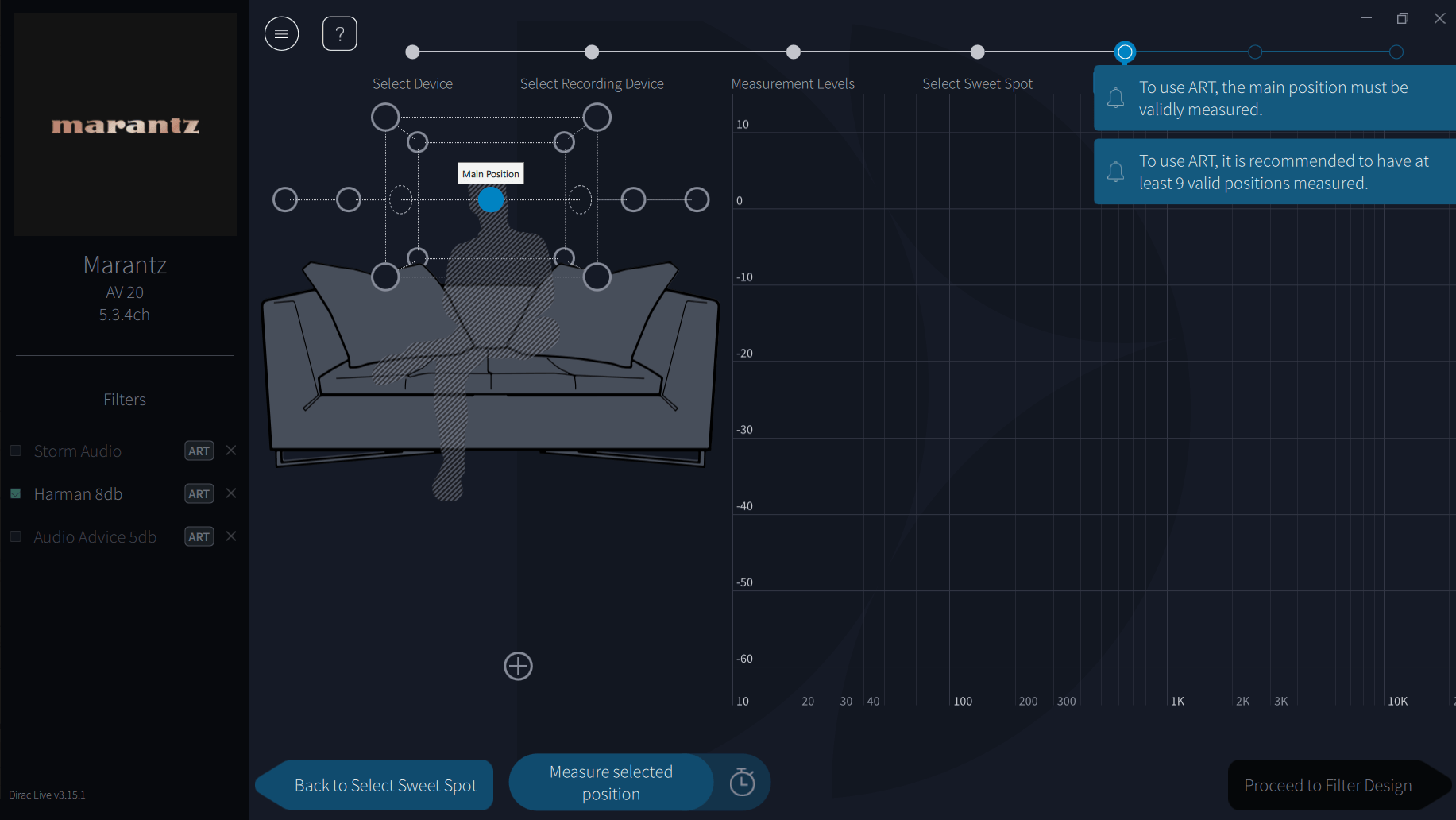
- Put the mic at your main seat, pointing straight up.
- On screen, select the centre circle (position 1).
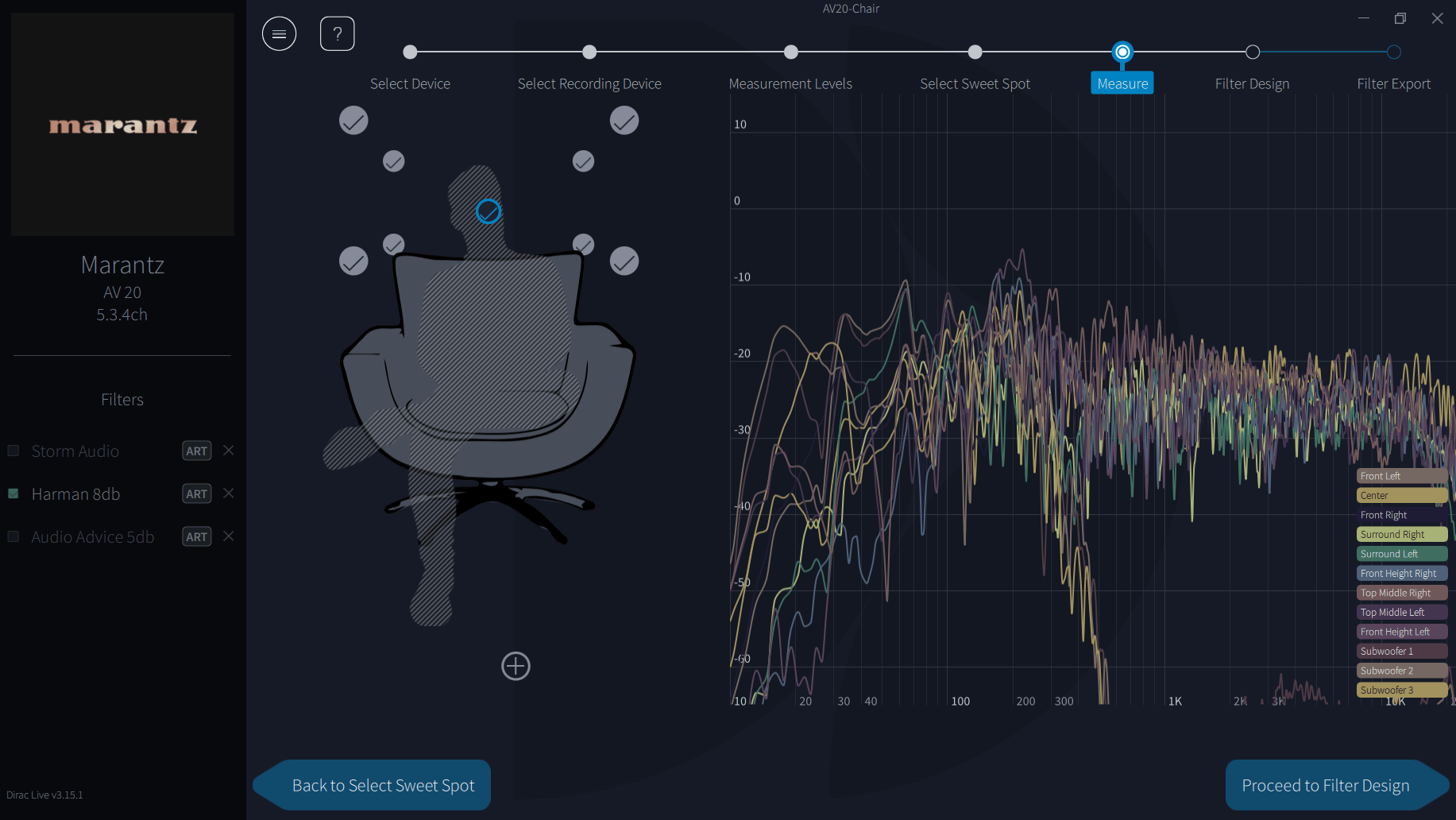
- Click Measure Selected Position. Each speaker plays a sweep.
- When it finishes, move the mic to the next position shown on screen.
- Select that position and measure again.
- Repeat until every position is done, then click Proceed to Filter Design.
While it’s measuring
- Keep the room quiet. Close windows and switch off noisy appliances.
- Don’t stand or leave objects between any speaker and the mic.
- Stay still and quiet in your seat position well away from the mic, or wear ear plugs. StormAudio advise staying in the room rather than leaving and returning mid-sweep.
- Don’t touch or move the mic stand while a sweep is playing.
If a warning appears
If Dirac marks a measurement as imprecise or warns about noise, remeasure that position. If it keeps happening, check for background noise, check the USB cable and port, and see Troubleshooting or the Dirac Help Centre FAQ.
Save your project now, from the menu, before going further. If anything goes wrong later you can reload it and skip measuring.
You can go on to filter design without measuring every position, but more positions give a more accurate result, so complete them all if you can.
Common questions
The questions people ask most at this step, collected from a year of posts in Dirac user groups.
A measurement failed or says “imprecise”
Repeat that position first. If it keeps failing, work through the fixes in Troubleshooting: microphone permission, power saving and sound enhancements off, mic straight into the computer, other apps closed, then restart the receiver.
Source: Dirac Help Centre (official): imprecise measurements.
What does error 106 mean?
Dirac doesn’t document a code 106. Owners of Arcam and Onkyo-family receivers report it when the test signal isn’t loud enough above the room noise. The fixes they report are a quieter room, setting the speaker levels properly before measuring, and turning off any unused zones on the receiver. Community-sourced.
Source: AVForums thread (community).
My Onkyo, Integra or Pioneer shows a DU or DC error code
These are network errors. The codes and fixes are listed in Troubleshooting.
Source: Onkyo support: TX-RZ70.
When do I need to measure again?
Dirac says you must measure again after adding or removing speakers. If you’ve moved speakers, seats or large furniture, the sound at your seat has changed, so measuring again is the safe choice.
Source: Dirac Help Centre (official): ART FAQ. This is our view.
I’ve added or changed speakers. Why does Dirac say the configuration changed?
Dirac reads the speaker layout from your receiver. Set the new layout on the receiver first, then start a new measurement. Dirac says a change of speakers needs new measurements.
Where should I be while it measures?
Out of the line between the speakers and the microphone, still and quiet. Leaving the room, or standing well behind the mic, is best. Community practice.
Next step: choose your path
Choose your correction path
Your measurements are done. What you do next depends on which licence you have. Pick the one that matches your licence. Each path ends at Step 8, where you export and check the result.
What Dirac records
Advanced
Each sweep gives Dirac the impulse response from that speaker to that mic position: timing, level and frequency response in one. From the full set it works out each speaker’s arrival time and level at the main position and how the response varies across the listening area. The first position’s timing is the reference, which is why it has to be right.
Reading the results
A measurement that looks very different from neighbouring positions usually means something moved, someone walked past or noise interrupted the sweep. It’s quicker to remeasure it than to let one bad position skew the filter.
Measuring with REW as well
If you plan to check your result objectively in Step 8, take a baseline REW measurement at the main seat now, before any filter is loaded, with the mic in exactly the same position. See the REW guides.
Check the main position before measuring the rest
A tip from experienced users, based on Markus767’s Dirac tutorials: measure only position 1, then go to Filter Design and ignore the warning about too few positions. Untick the target curve and check each speaker’s response looks sensible and the impulses line up. If anything looks wrong, a cable, a polarity or a speaker setting, you’ve found it before spending an hour on the other positions. Then click Back to Measure and carry on.
How Dirac weights the positions
Dirac sets delays from position 1 and levels from all positions together. That’s why levels checked afterwards with a meter at the main seat can differ slightly from Dirac’s. StormAudio’s Matthew Trinklein described the calibration as weighted mainly to the main seat, with the other positions stopping the correction harming the rest of the area.
Reclining seats
If people recline, measure the main position with the headrest where it usually is, and take some of the other positions with it up and some with it down, so the correction covers both.
These are experienced-user methods rather than Dirac instructions.
Sources
- Denon: Dirac Live web manual (Configuring AVR settings, Measuring with Dirac Live software)
- Dirac Help Centre FAQ
- Dirac Live Guide (community, 2025), including StormAudio calibration advice
- Markus767: Dirac Live mic and speaker levels tutorial