
Dirac sells three products and the app offers four filter options. This is the part of Dirac that confuses people most, especially Bass Management versus Bass Control. Here’s what each one does, whether you already have it and who it’s worth paying for.
The four options in one table
Beginner
| Option in the app | What it does | Crossovers set by | Licence you need |
|---|---|---|---|
| Dirac Live (Room Correction) | Corrects each speaker’s timing, level and frequency response in the room. Your receiver’s own bass management still routes bass to the sub. | You, in the receiver | Room Correction |
| Bass Management | Room Correction, plus Dirac takes over routing bass to the subwoofers and sets crossovers, levels and distances for you. | Dirac | Room Correction (included when you have a subwoofer) |
| Bass Control | Everything Bass Management does, plus it tunes speakers and subwoofers to work together as one system, aligning timing and phase so the bass adds up instead of cancelling. | Dirac | Room Correction plus Bass Control |
| ART (Active Room Treatment) | Uses your other bass-capable speakers to actively cancel room resonances below about 150 Hz. | Dirac, through ART parameters | Room Correction, plus Bass Control if you have subs, plus ART |
The filter options you see in the app depend on the licences on your account and what your device supports. Bass Management is normally included with Room Correction when you have a subwoofer (Dirac’s Denon and Marantz manual lists it this way). Check your device’s documentation to confirm.
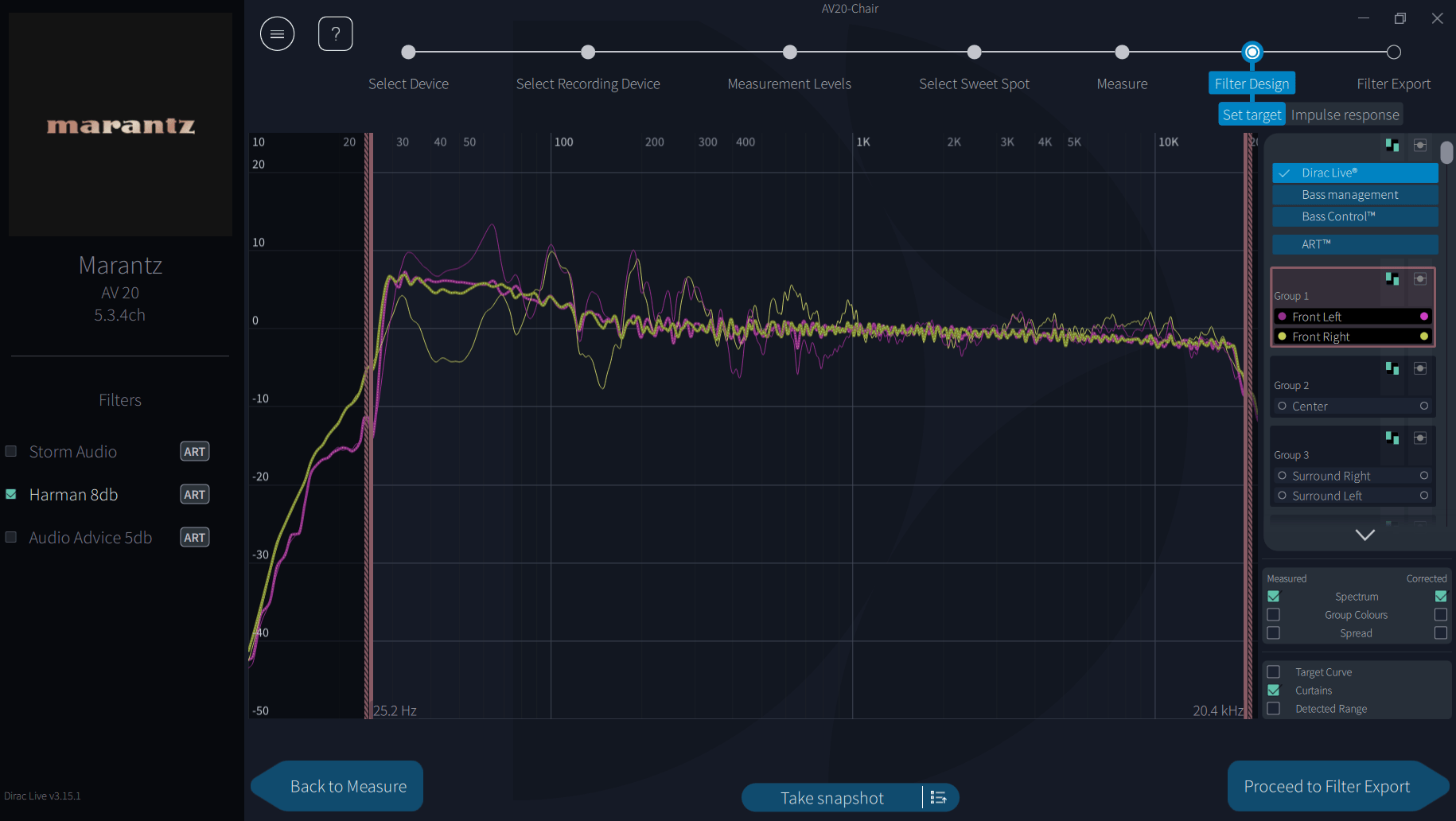
Is Bass Management included with Dirac Live?
Usually, yes. If you have a subwoofer and a Room Correction licence, Bass Management appears as a filter option at no extra cost. You don’t need to buy Bass Control to get Dirac to handle your crossovers.
Bass Management versus Bass Control
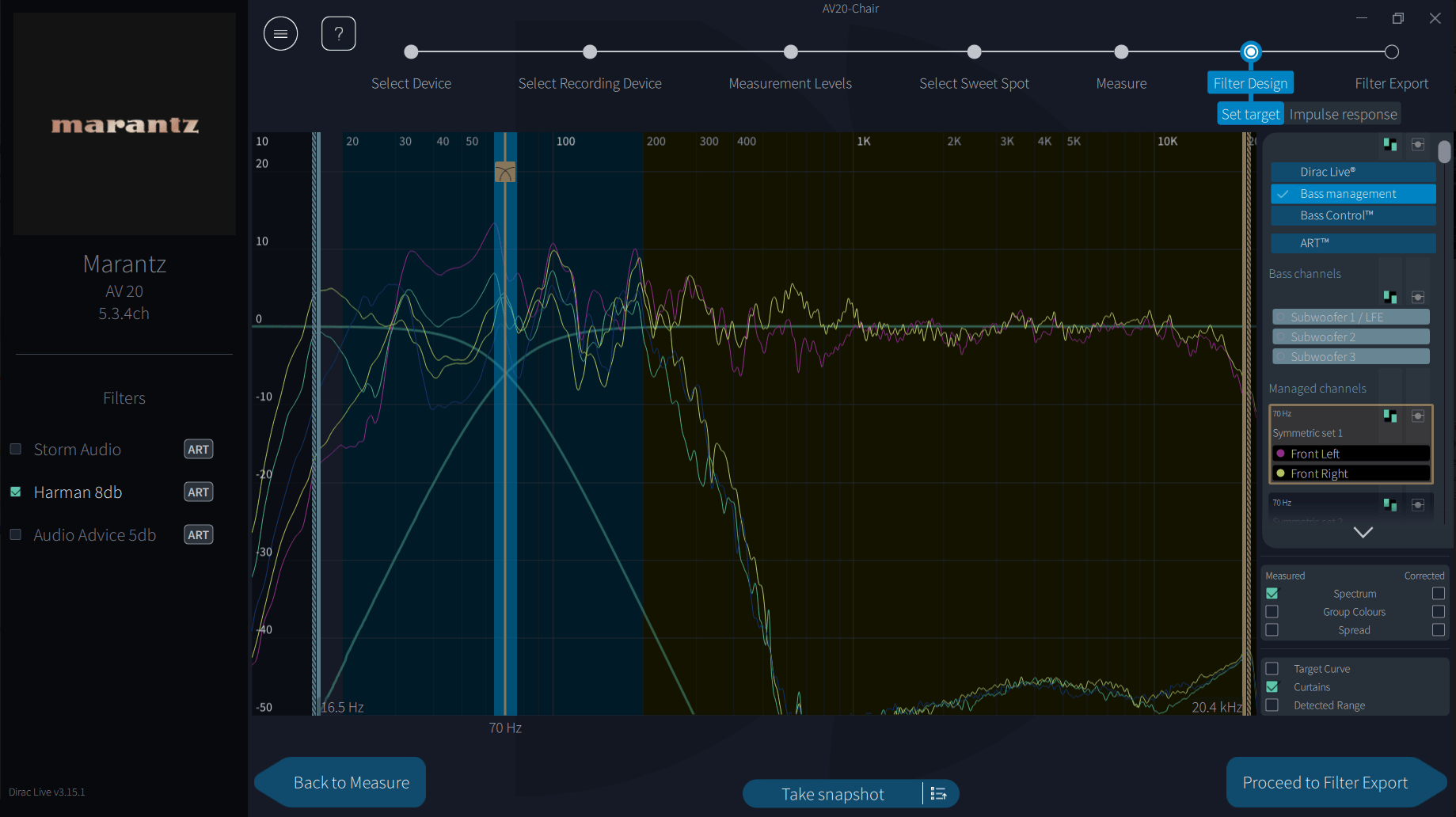
Both route bass to the subwoofers and both set crossovers, levels and distances automatically. The difference is what happens around the crossover.
- Bass Management sends the bass to the subs and sets the crossover. It doesn’t look at how the subs and speakers interact once they’re playing together.
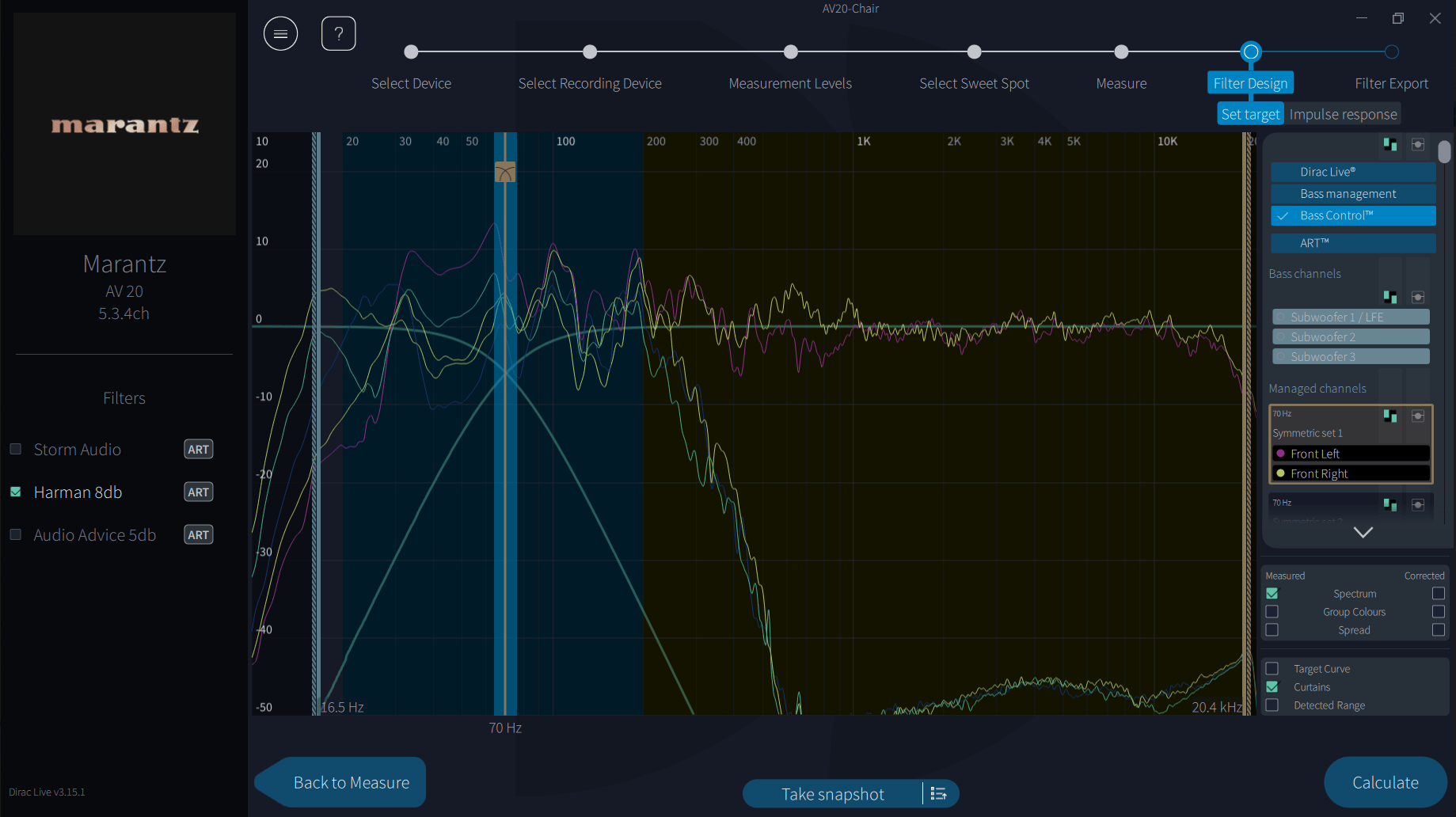
- Bass Control measures that interaction and adjusts it. It aligns phase and timing between the subs and the speakers, and between left and right, so they reinforce each other through the crossover region rather than partly cancelling.
- With more than one subwoofer on separate outputs, Bass Control also works to make the bass more even from seat to seat. This is where the difference is biggest.
What about ART?
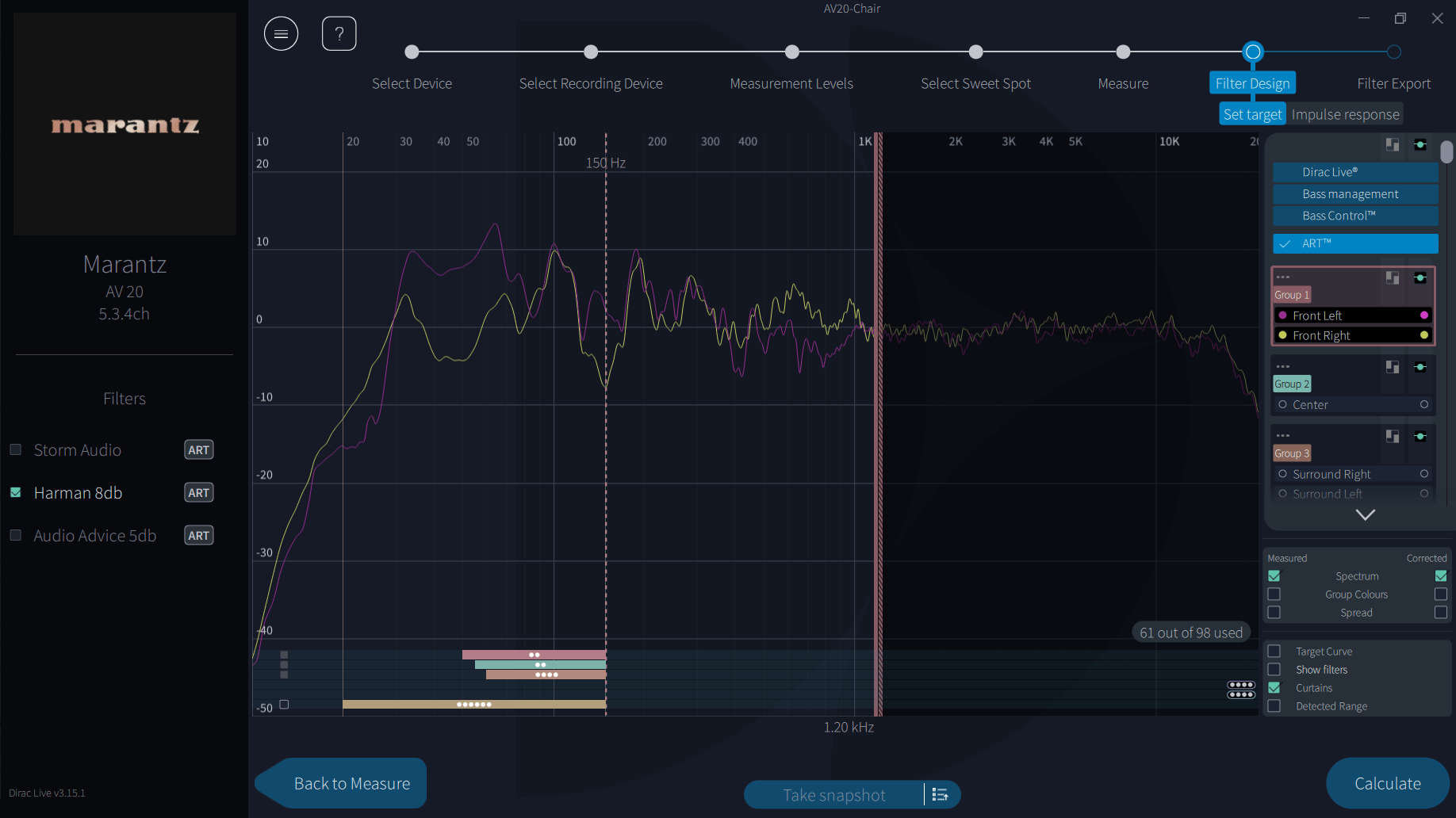
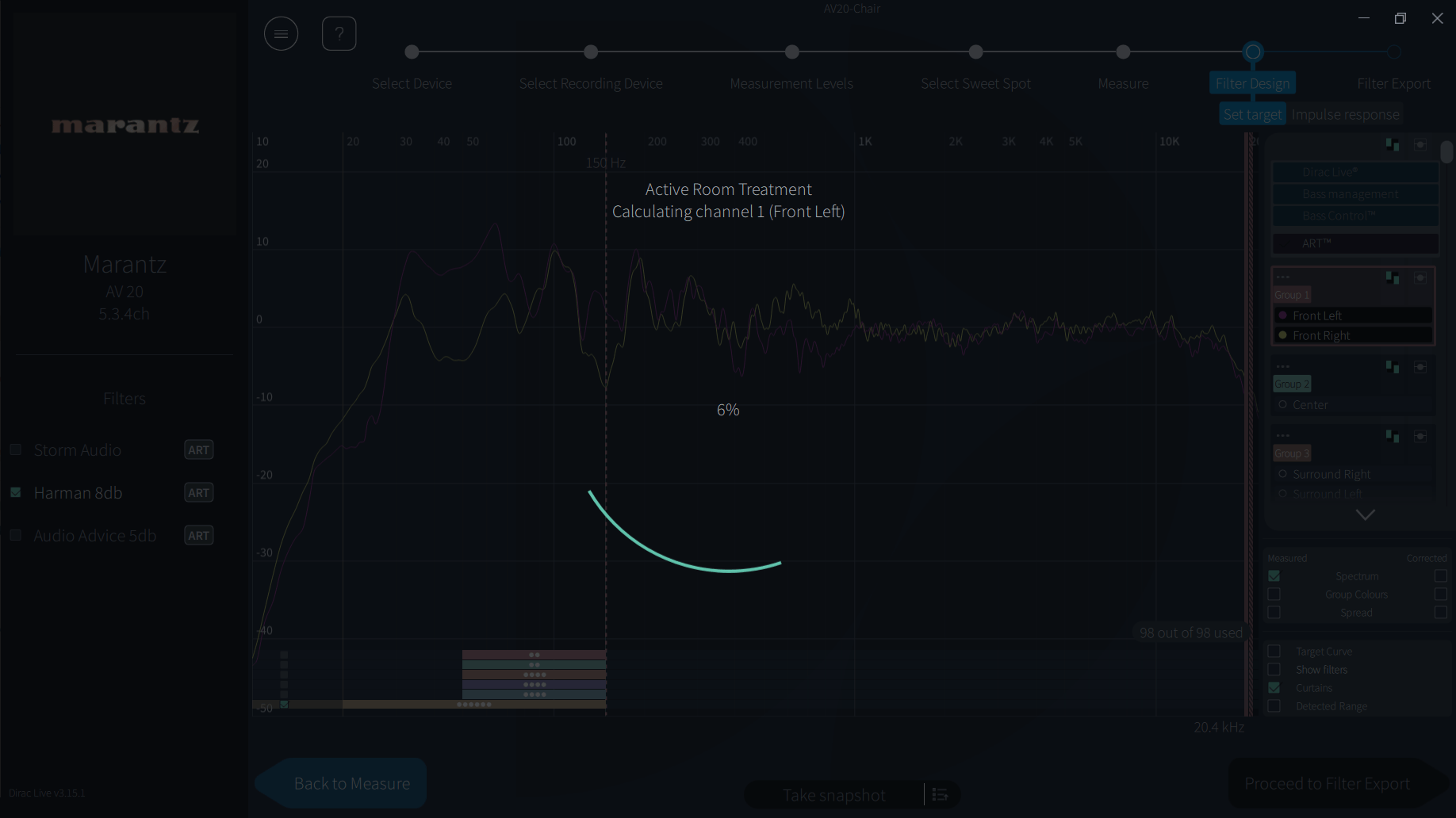
ART goes further again. Instead of each speaker only being corrected on its own, other bass-capable speakers play a controlled signal that cancels the room’s resonances, which shortens boomy, lingering bass. It needs Room Correction, Bass Control if you have subwoofers, and the ART licence, on an ART-certified device. See ART setup.

Who benefits from each
| Your system | Best option | Why |
|---|---|---|
| Stereo or AV system, no subwoofer | Dirac Live (Room Correction) | There’s no bass to route. Room Correction does the whole job. |
| One subwoofer, tight budget | Bass Management | Normally included with Room Correction. Dirac sets the crossovers so you don’t have to. |
| One subwoofer, bass sounds thin or uneven around the crossover | Bass Control | Aligns the sub and speakers so they add together through the crossover, which Bass Management doesn’t do. |
| Two or more subwoofers on separate outputs | Bass Control | The biggest gain: more even bass across the seats as well as a better blend. |
| Dedicated room, bass still booms after Bass Control | ART | Actively shortens room resonances that correction alone can’t fix. |
Deciding what to buy? See Step 1: Choose and buy your licence. Ready to choose the filter in the app? See Step 7.
Next step
Choose your correction path
If you’ve finished measuring, carry on with the path that matches your licence.
How they work under the hood
Advanced
Room Correction and your receiver’s bass management
With the Dirac Live filter option, Dirac corrects every channel, including the subwoofer channel, but routing is left to the receiver. You set crossovers in the receiver’s own menus (for example, on Denon and Marantz: Setup Menu, Manual Setup, Crossovers), and the receiver sends everything below them to the sub. Dirac doesn’t calculate crossovers in this mode.
Bass Management
Dirac takes over routing: it extracts bass from the input channels and sends it to the subs, and calculates the optimal distances, levels and crossovers. Many receivers then lock those values while the filter is active (Denon and Marantz do). The crossover is shown as a region rather than a single line: frequencies mainly to the subs, a band shared by both, and frequencies mainly to the speakers.
Bass Control
Bass Control treats speakers and subwoofers as one system. According to Dirac’s technical material, it uses low-order all-pass filters, which shift phase without changing level, found by an optimisation algorithm. It aims to reduce three things:
- Variation in the bass response across the listening area, most useful with multiple subs.
- Out-of-phase behaviour between left and right speakers around the crossover.
- Phase mismatch between the subwoofers and the speakers in the crossover band.
Bass Control also lets you group speakers, set a crossover per group, and drag channels to Unmanaged Channels to leave them out of bass management altogether. After changing anything, press Calculate. Dirac recommends trying different crossover points, as the best one depends on your speakers and room.
ART
ART is a multiple-input, multiple-output correction: each channel’s bass is reproduced by its own speaker plus a set of support speakers, with filters designed so their combined output controls the sound field across the measured area. It works below a set frequency, around 150 Hz by default. See ART setup for the detail.